
Why Your AC is Running But Not Cooling in Rockport and What to Do
TL;DR: If your AC is running but not cooling in Rockport, the problem is often something simple like a dirty air filter, a tripped breaker, a thermostat setting issue, or a blocked outdoor unit. Before calling for AC repair, homeowners can do a few safe troubleshooting steps to rule out common problems. If your system is blowing warm air, running constantly, or struggling during hot and humid Coastal Bend weather, professional service may be needed to check refrigerant, airflow, electrical components, or frozen coils.
When your air conditioner is running but your house still feels warm, sticky, and uncomfortable, it can get frustrating fast, especially in Rockport where heat and humidity can make indoor comfort disappear in a hurry.
The good news is that not every cooling problem means a major repair. Sometimes the issue is simple and can be caught before it turns into something bigger. Here is a step-by-step guide to help troubleshoot common AC problems before calling a technician.
Step 1: Check Your Thermostat Settings
This sounds obvious, but it is one of the most common reasons an AC seems to be running without cooling properly.
Make sure your thermostat is:
- Set to cool
- Set to a temperature lower than the current room temperature
- Set to auto if you want normal cooling cycles
If it is accidentally set to fan on, the system may keep blowing air without actually cooling the home the way it should.
If your thermostat has batteries, replace them. Weak batteries can cause display issues or poor communication with your HVAC system.
Step 2: Inspect the Air Filter
A dirty air filter can seriously reduce airflow. When airflow is restricted, your AC has a much harder time cooling your home. In some cases, it can even cause the evaporator coil to freeze.
Pull out the filter and take a look. If it is gray, dusty, or clogged, replace it with a clean one.
In Rockport, where systems often run hard during long cooling seasons, filters may need to be checked more often than homeowners expect. A good rule is to inspect it monthly, especially in peak summer.
Step 3: Look at the Outdoor Unit
Your outdoor condenser needs room to breathe. If it is covered in dirt, grass clippings, leaves, or salt air buildup, it cannot release heat effectively.
Walk outside and check for:
- Debris around the unit
- Overgrown grass or shrubs
- Dirty condenser fins
- Anything blocking airflow
You can gently clear away debris around the unit, but do not open the system or spray it aggressively if you are unsure. Coastal environments like Rockport can be especially tough on outdoor AC equipment because of moisture, corrosion, and salt exposure.
Step 4: Check the Circuit Breaker
Sometimes part of the system is running while another part is not. For example, the indoor unit may be blowing air, but the outdoor unit may have lost power.
Check your electrical panel and look for any tripped breakers connected to the HVAC system. Reset the breaker once if needed. If it trips again, stop there and call a technician. Repeated tripping can point to an electrical problem that needs professional attention.
Step 5: See if the Coil May Be Frozen
If your AC is running but not cooling, and airflow feels weak, you may have a frozen evaporator coil.
Signs include:
- Warm or slightly cool air from vents
- Ice on the refrigerant line
- Water around the indoor unit
- Reduced airflow
If you suspect freezing, turn the thermostat from cool to off, then set the fan to on to help thaw the coil. Do not keep running the AC in cooling mode. That can make the problem worse.
Frozen coils are often caused by dirty filters, airflow problems, or low refrigerant.
Step 6: Check Vents and Registers
Walk through the house and make sure supply vents are open and not blocked by furniture, rugs, or curtains.
Closed vents can create airflow imbalance and make certain rooms in your Rockport home feel hotter than others. If multiple vents are blocked, the whole system can struggle.
Also pay attention to whether some rooms are cool while others stay warm. That may point to ductwork issues, insulation problems, or airflow restrictions.
Step 7: Notice How Long the AC Runs
If your AC runs constantly and never seems to catch up, that is a sign something is off.
Possible causes include:
- Low refrigerant
- Dirty coils
- Leaky ductwork
- Failing capacitor
- Aging equipment
- High humidity load
In Rockport, AC systems have to handle not just heat, but also heavy coastal humidity. When your system cannot remove heat and moisture efficiently, the house can still feel uncomfortable even if the unit technically stays on.
When to Call an AC Technician in Rockport
If you have checked the thermostat, replaced the filter, cleared the outdoor unit, and made sure breakers are on, but your AC is still not cooling, it is time for professional diagnosis.
You should call for AC repair if:
- The system is blowing warm air
- The coil keeps freezing
- The breaker keeps tripping
- The outdoor unit is not turning on
- Your home stays humid and uncomfortable
- The AC runs nonstop without cooling properly
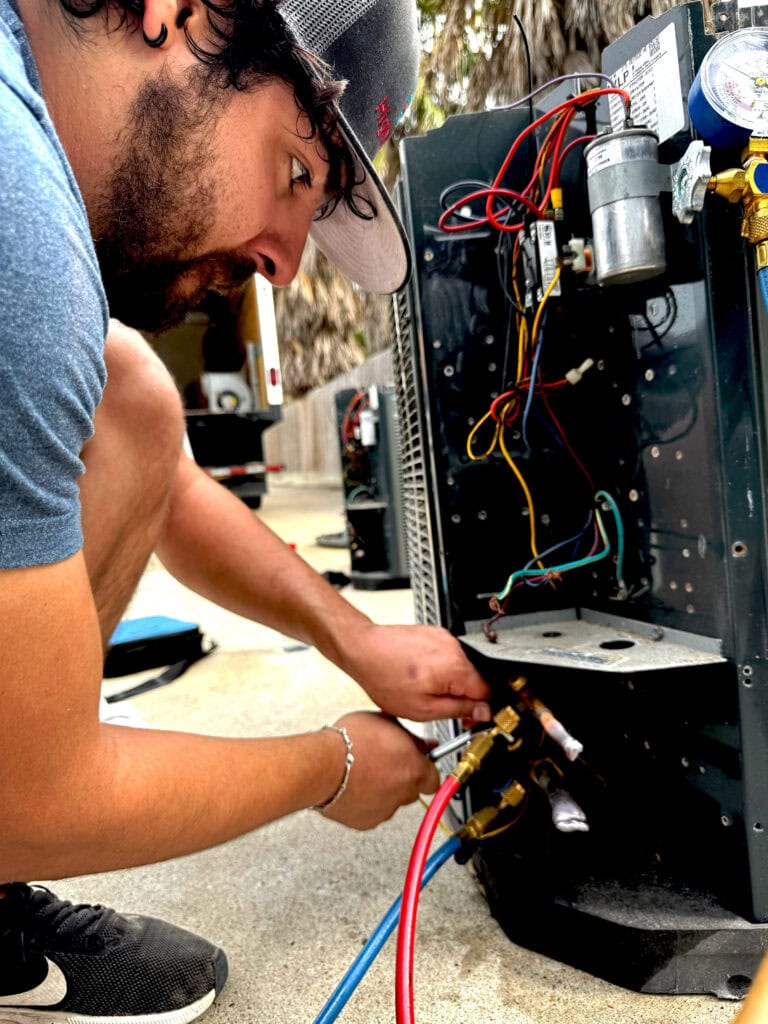
A trained technician can check refrigerant levels, electrical components, capacitors, coils, blower performance, and system pressures safely and correctly.
Final Thoughts
If your AC is running but not cooling in Rockport, do not panic. Start with the simple checks first. A thermostat setting, clogged filter, blocked condenser, or frozen coil may be the culprit. Catching these problems early can help prevent larger repairs and restore comfort faster.
And when the issue is beyond basic troubleshooting, professional AC service can help get your system back to cooling the way it should in the Coastal Bend heat. Learn more about our HVAC Replacement in Rockport TX